

Table of Contents
The Dubai Land Department (DLD) and RERA protect people who buy land before it is built. One of the best things for investors is that they can check on the growth of the building online through official government websites.
There are many ways to do things online, and this guide shows you each one. It also tells you where to look at real-time information on progress, completion percentage, escrow, and project approvals.
Tracking DLD project status has become an essential step for buyers and investors who want real-time visibility on construction timelines and approvals in Dubai. Whether you are checking project status DLD for an off-plan property or verifying updates for a newly launched community, the system gives you accurate, government-backed information.
By reviewing the DLD Dubai project status, investors can confirm whether milestones are being met, contractors are approved, and payments are aligned with progress. This also helps in understanding the DLD project completion status, ensuring that the project is moving according to schedule and complies with all RERA regulations.
1. Why Checking Construction Progress Matters
Monitoring construction progress helps you:
- Ensure the developer is working according to schedule
- Confirm that payments match actual progress
- Avoid delays and potential risks
- Verify that RERA compliance is being followed
- Get peace of mind as a buyer or investor
2. Official Online Platforms to Check Construction Progress
Dubai offers THREE verified, government-controlled portals for this:
1. DLD REST App – Shows % completion, status, developer, approvals
2. RERA Project Tracking Portal – Real-time updates
3. Dubai Municipality “Building Progress Tracker” – Technical approvals & inspection stages
3. How to Check Construction Progress Through the DLD REST App
Step-by-Step Process
Step 1: Download the REST App
- Available on App Store (iOS) & Google Play (Android)
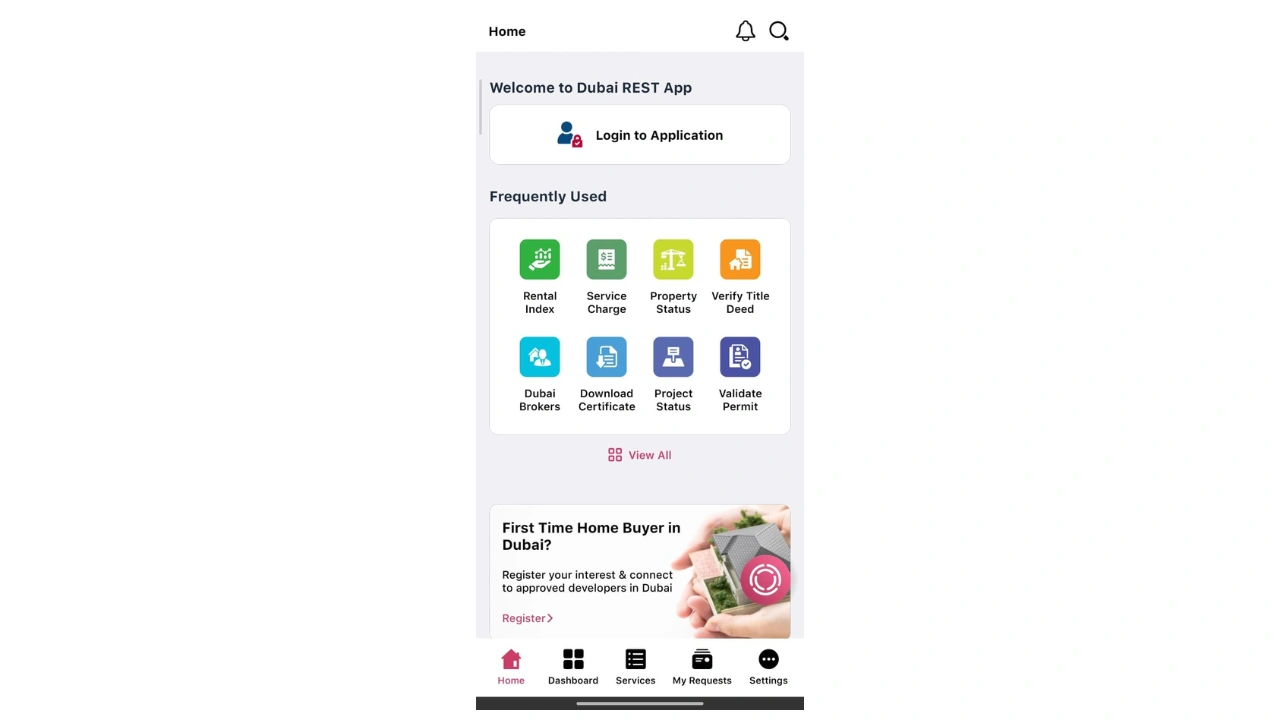
Step 2: Open the App and Go to ‘Project Status’
- On the homepage, select Project Status
- This section is updated by RERA frequently
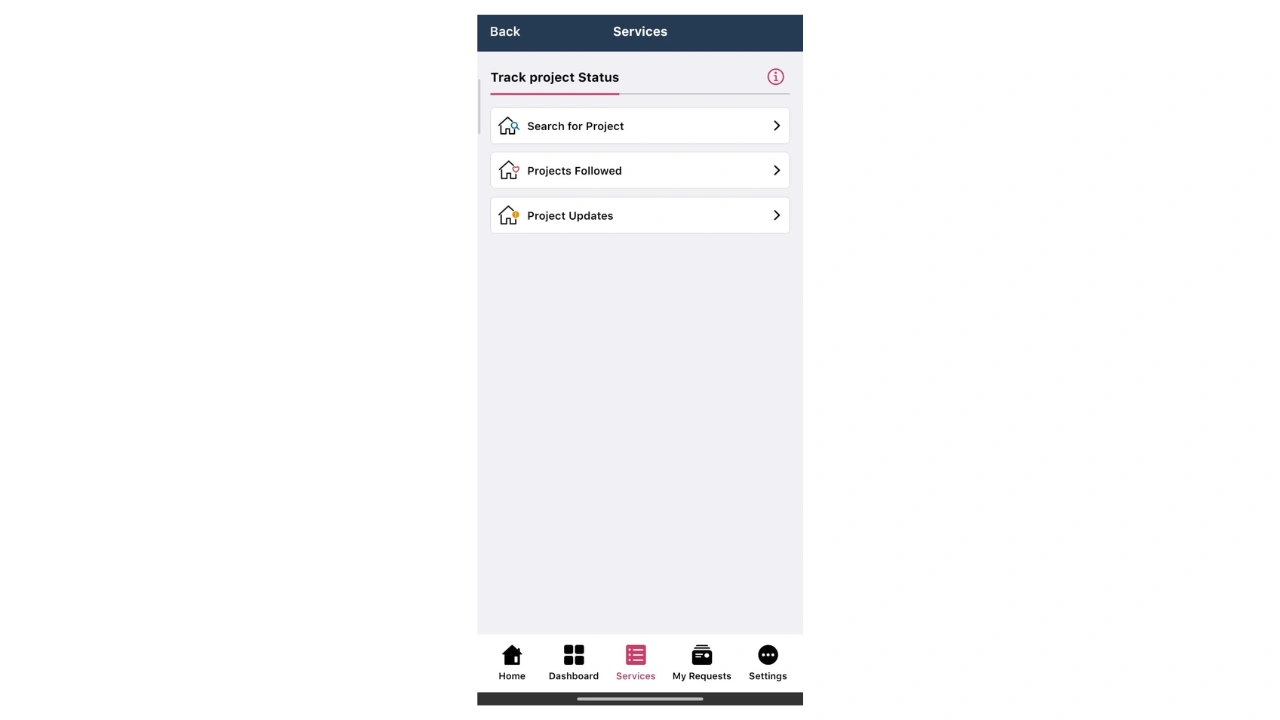
Step 3: Search the Off-Plan Project
In the search bar, enter:
- Project Name (e.g., “Burj Crown”)
- Developer Name (e.g., “Emaar”)
- Area (e.g., “Downtown Dubai”)
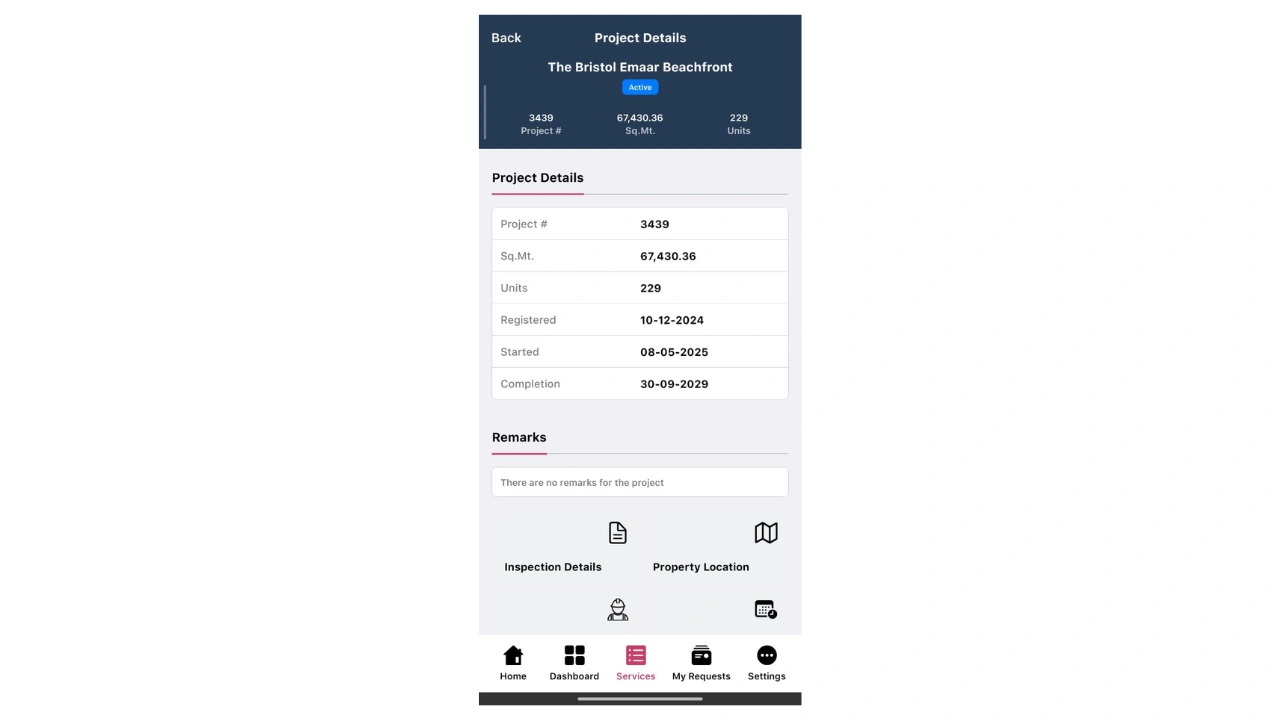
Step 4: Open Project Details
The project page shows:
- Construction Progress (%)
- Project Status (Under
- Construction / Completed / Delayed)
- Developer Information
- Land Plot Number
- RERA Registration Details
- Project Photos (if uploaded by developer)
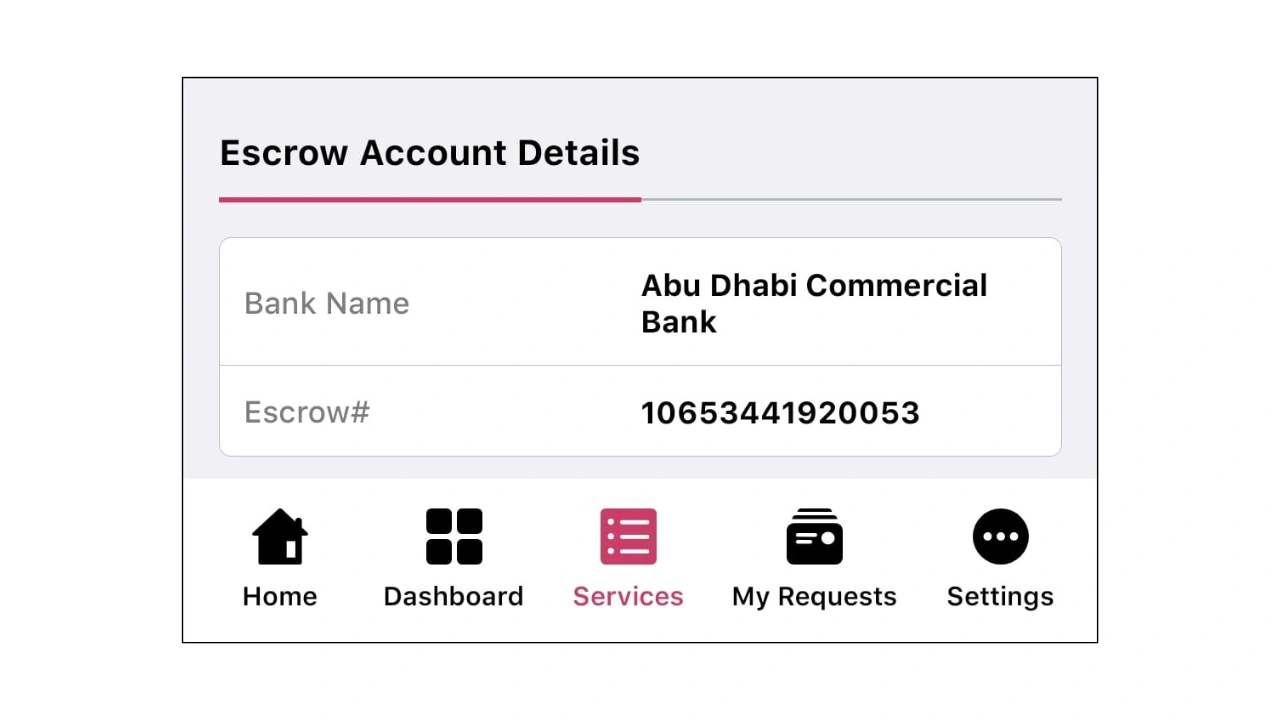
Step 5: Check the Escrow Account
Scroll down to see:
- Escrow Bank
- Escrow Number
- Account Status
- Payment updates
Step 6: Enable Notifications
The app can notify you when:
- Progress updates change
- RERA uploads new inspection results
- Project milestones are completed
Need a More information About It?
Our agents will help you explore premium options tailored to your lifestyle, location preferences, and investment goals.
4. How to Check Construction Progress Through RERA Project Status Portal
This is the web-based version for project tracking.
Step-by-Step Process
Step 1: Visit the RERA ‘Project Status’ Webpage
Go to: Dubai Land Department → Services → Real Estate Services → Project Status
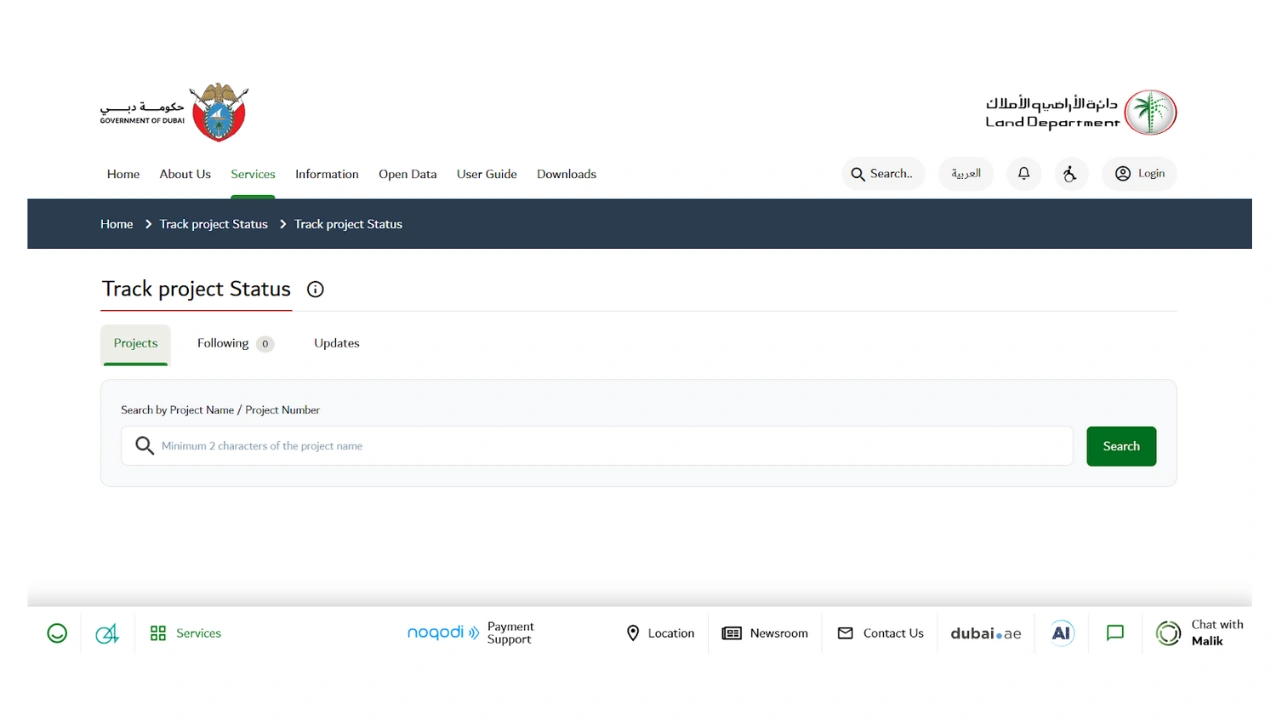
Step 2: Search by Project Name or Developer
Choose your filters:
- Project Name
- Developer Name
- Status (Active / Completed / Cancelled)
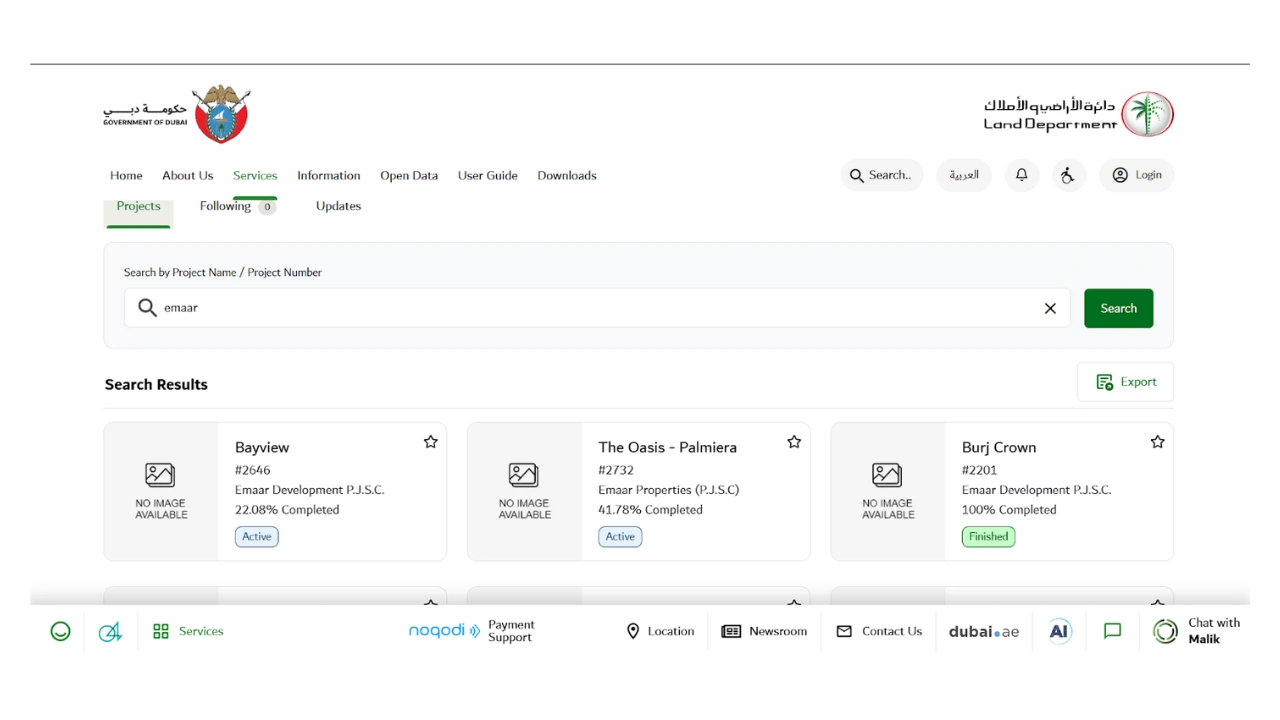
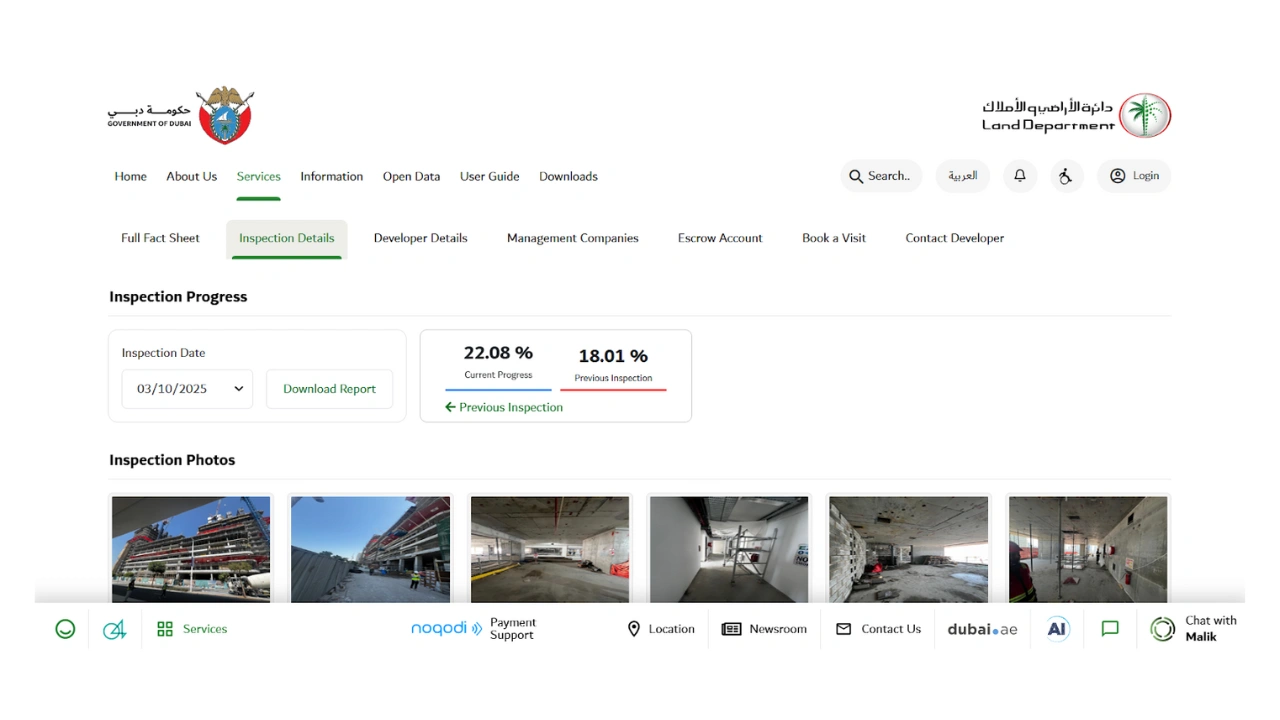
Step 3: View the Project’s Current Progress
The page will show:
- Official construction %
- Start date & expected completion date
- Latest inspection report uploaded by RERA
- Master plan & floor plans (if available)
- Project history
5. How to Track Construction Progress Through Dubai Municipality
Dubai Municipality’s Building Progress Tracker shows:
- Structural progress
- Inspection stages
- Engineering approvals
- Completion certificates status
Step-by-Step Process
Step 1: Open Dubai Municipality Portal
Search: Dubai Municipality → Building Control → Building Progress
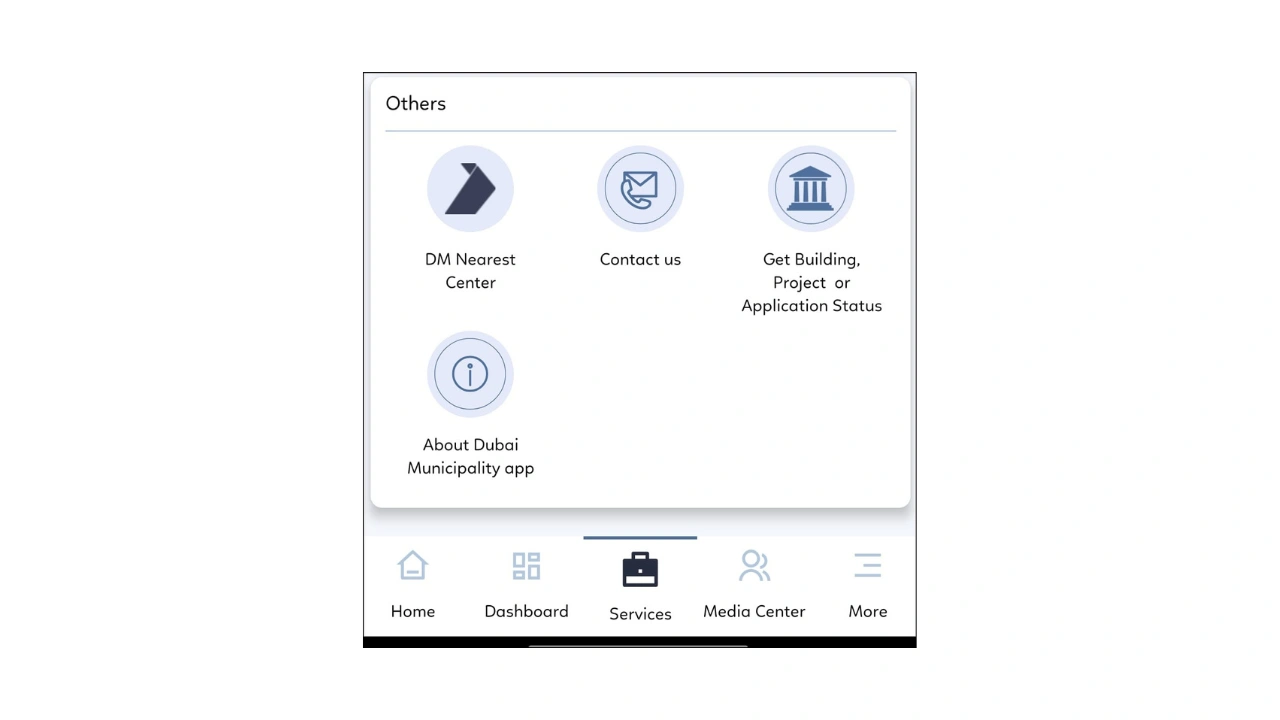
Step 2: Enter Plot Number or Project Number
Find the details from:
- Sales agreement
- Oqood certificate
- Project listing
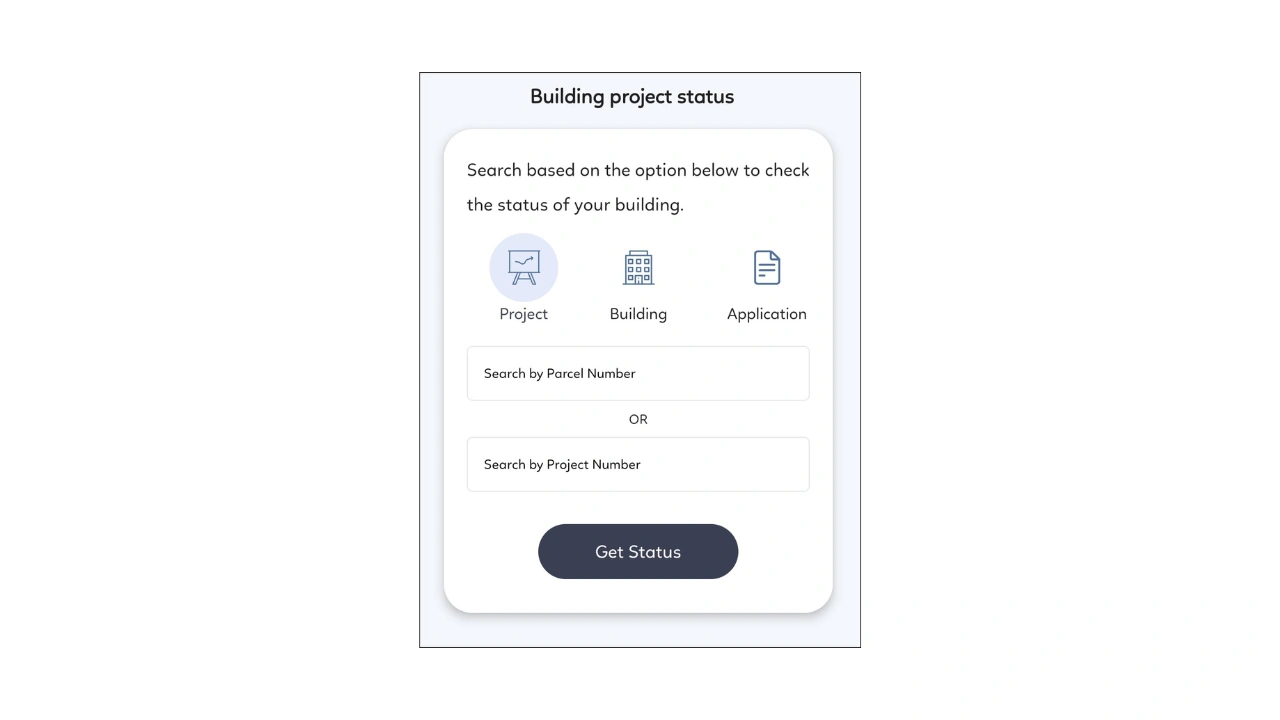
Step 3: View Construction Milestones
You can check:
- Excavation completed
- Foundation work
- Structural work
- MEP installation
- Pre-handover stage
- Completion certification
6. How Often Do Developers Update Construction Progress?
RERA updates: Every 3 months
Developers: Monthly (varies)
Dubai Municipality: After every inspection stage
FAQs
Yes, you can check it directly through RERA and DLD REST.
Yes, it is updated after official site inspections by RERA engineers.
Every registered project must appear on the app by law.
Usually every 3 months or after major construction milestones.
Always trust RERA data developer updates are not official.
Join The Discussion